Mobile App

ek1 App — The Full Gaming Experience on Android & iOS, Right in Your Hands

Play Live Casino, slots, and bingo anywhere with the ek1 app. Fast loading, easy navigation, and a Bengali interface.

Android
iOS
e1
ek1
Your Balance
BDT 4,850
Slots
Live
Bingo
Play Now
Bonus
Withdraw
Support
ek1

Ek1 App — A New Chapter in Mobile Gaming

500+
Games on the App
3 Seconds
Load Time
24/7
Support
50 MB
APK Size
App's Exclusive Features

Why the ek1 App Beats the Browser

Ultra-Fast Loading

Games load significantly faster on the app than in a browser. Cached resources keep everything running smoothly even on a slow connection.

Push Notifications

Get notified instantly about new bonuses, tournament launches, and special offers — straight to your phone. Never miss an opportunity.

Biometric Login

Log in within seconds using your fingerprint or Face ID. No need to remember any password.

Dark Mode

Switch on Dark Mode at night or in low-light settings. It's easier on the eyes and helps save battery.

Offline Features

Core app features remain active even with a weak internet connection. Everything syncs automatically once you're reconnected.

Enhanced Security

SSL encryption, two-factor authentication, and device-specific locks keep your account secure at all times.

Ek1 App — Your Best Mobile Gaming Companion

Smartphones are no longer just for calls — they're the primary entertainment device. The vast majority of internet users in Bangladesh are now on mobile. ek1 was built with this in mind, delivering a full-featured mobile app that puts everything from the desktop experience right in your hands. Classic slots, Live Casino, bingo, fast withdrawals — all in one app.

Android App — Easy Installation

Android users can download the APK file directly from the ek1 website and install it. You'll need to enable "Unknown Sources" or "Install Unknown Apps" in your phone's settings — this only needs to be done once. The APK is just 50 MB, so the download is quick. It runs smoothly on Android 6.0 and above.

ek1

Ek1 App — Android Installation Guide

IOS App — Seamless Gaming on iPhone & iPad

IPhone and iPad users can use ek1's mobile-optimized website or add a shortcut to their home screen for an app-like experience. Open ek1.onl in Safari, tap the "Share" button, and select "Add to Home Screen". This creates an app icon that lets you enjoy games in full-screen mode.

App Interface — Simple & Intuitive

The ek1 app's interface is designed so that even first-time users can find games with ease. Popular games are displayed right on the home screen. The bottom navigation bar has five main options — Home, Games, Bonus, Withdraw, and Profile. All text is available in Bengali, making the app accessible to users of all ages.
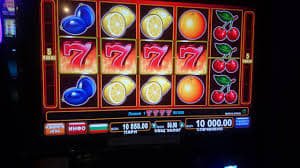
ek1

Ek1 App — Home Screen & Game Library

Deposits & Withdrawals on the App

Depositing and withdrawing on the ek1 app is straightforward. Go to the Deposit section, choose mobile banking or bank transfer, enter the amount, and confirm. Withdrawals work the same way — just provide your account number and amount. In most cases, funds arrive within 3–5 minutes. The minimum deposit and minimum withdrawal are both BDT 300.

Push Notifications — Never Miss an Offer

The push notification feature in the ek1 app is genuinely useful. You'll get alerts directly on your phone for daily bonus offers, free spins, special Live Casino events, and newly added games — no need to keep opening the app to check. You can customize which types of notifications you receive from the settings.
ek1

Ek1 App — Push Notifications & Bonus Updates

App Security — Your Information Is Safe

The ek1 app uses multiple layers of security to keep your personal information and financial transactions fully protected. All data transfers are secured via SSL/TLS encryption. Two-factor authentication (2FA) is available for login. Biometric authentication prevents unauthorized access. If any suspicious activity is detected, your account is automatically locked and you are notified immediately.

Battery & Data Saving While Using the App

Many people wonder whether gaming apps drain battery and data. ek1 has paid close attention to this. Graphics are adjusted automatically in low-power mode and unnecessary background processes are kept off. Enabling Data Saver mode in settings reduces image and video quality to significantly cut data usage. Live games run smoothly even on a moderate internet connection.

App Updates — Always Stay on the Latest Version

Ek1 regularly releases app updates with new games, performance improvements, and security patches. Android users will receive update notifications within the app and can update directly from there. Updates only take a few minutes and your account information is kept intact.

How to Ready to Install the App?

Install the ek1 App on Android in Just Four Steps

1
Go to Download Page

Download the Android APK file from ek1's download page. It's only 50 MB.

2
Allow

Go to Settings → Security and enable "Unknown Sources" or "Install Unknown Apps".

3
Install APK

Tap the downloaded APK file and press "Install".

4
Log In & Play

Open the app, log in to your account, and start playing your favorite games.

App vs. Browser

Why Playing on the App Beats the Browser

Benefits Ek1 App Mobile Browser
Loading Speed ✔ Much Faster ✘ Comparatively Slower
Push Notifications ✔ Yes ✘ Limited
Biometric Login ✔ Yes ✘ Not Available
Offline Features ✔ Partial ✘ Not Available
Battery Optimization ✔ Enhanced ✘ Basic
Data Saver Mode ✔ Yes ✘ Not Available
Full-Screen Gaming ✔ Yes ✘ Limited
Fast Deposit / Withdrawal ✔ 3–5 Minutes ✘ Same but Slower UX
More What You Get on the App

Additional Features of the ek1 App

Tournaments
Live Updates
Daily Bonus
Fresh Every Day
Game History
All Records
Live Chat
24/7 Support
Profile
Edit
Dark Mode
Eye Comfort
General FAQ

Ek1 App — Frequently Asked Questions

Yes, the ek1 app is completely free to download and install. Just grab the APK from the download page — no charge at all. You'll need a balance to play games, but registration and the app download are entirely free.

Yes, the APK downloaded from ek1's official website is completely safe. The file is digitally signed and free of malware. Just make sure you only download it from the official ek1 site and nowhere else.

Yes, the ek1 app gives you access to every game available on the browser — 500+ slots, all Live Casino tables, and bingo rooms. Plus, the app includes exclusive features you won't find on the browser.

Yes, the app and browser share the same account. Your balance, game history, and bonuses all sync in real time. Win on the browser and your balance updates on the app instantly.

The ek1 app runs on Android 6.0 (Marshmallow) and above. A minimum of 2GB RAM is recommended for smooth performance. The app will work on older devices, though live video streaming may feel slightly different.

No, all your account data stays intact after an update. If your login details were saved, you won't even need to sign in again. Just install the new APK and the update is complete.

The ek1 app has built-in live chat support that's active 24 hours a day, 7 days a week. You can chat directly in Bengali. You can also reach the support team by email. Most issues are resolved within minutes.
বাংলা